Who it is for
For owners and multi-location teams who want to connect profile activity with calls, directions, website visits, and other customer actions.
Google Business Profile reports
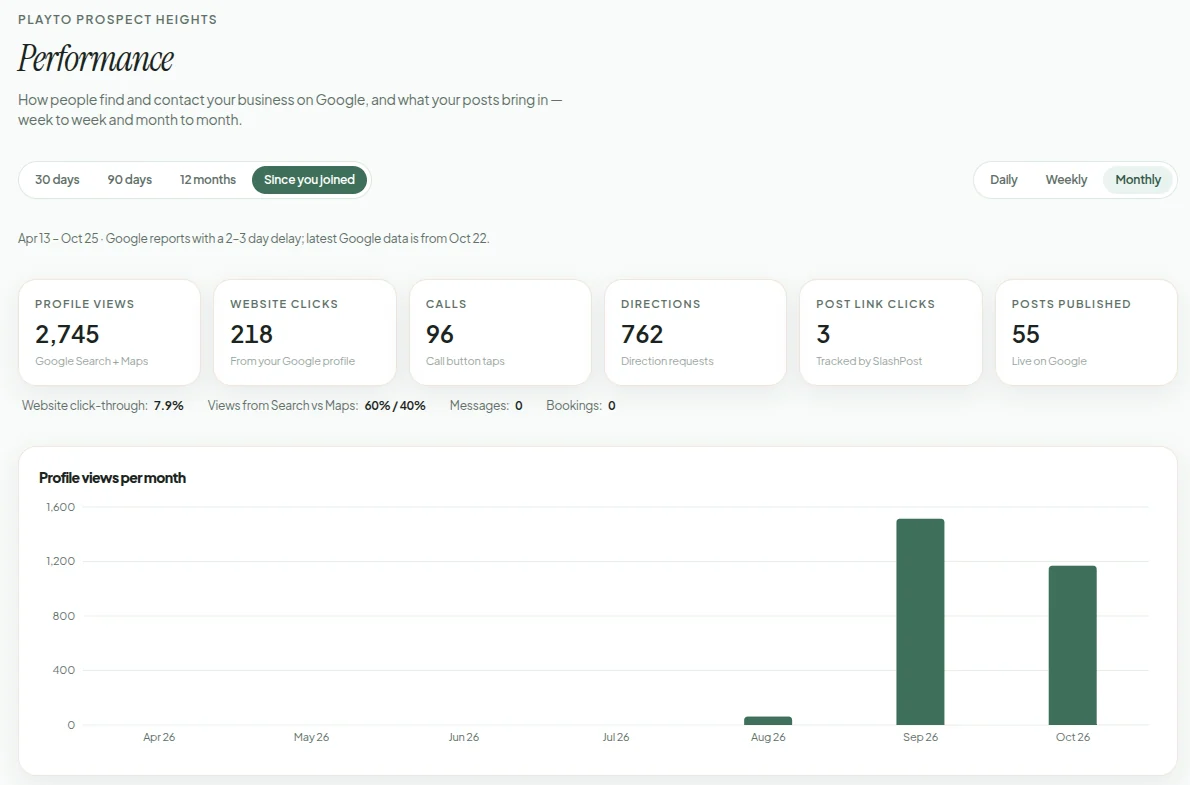
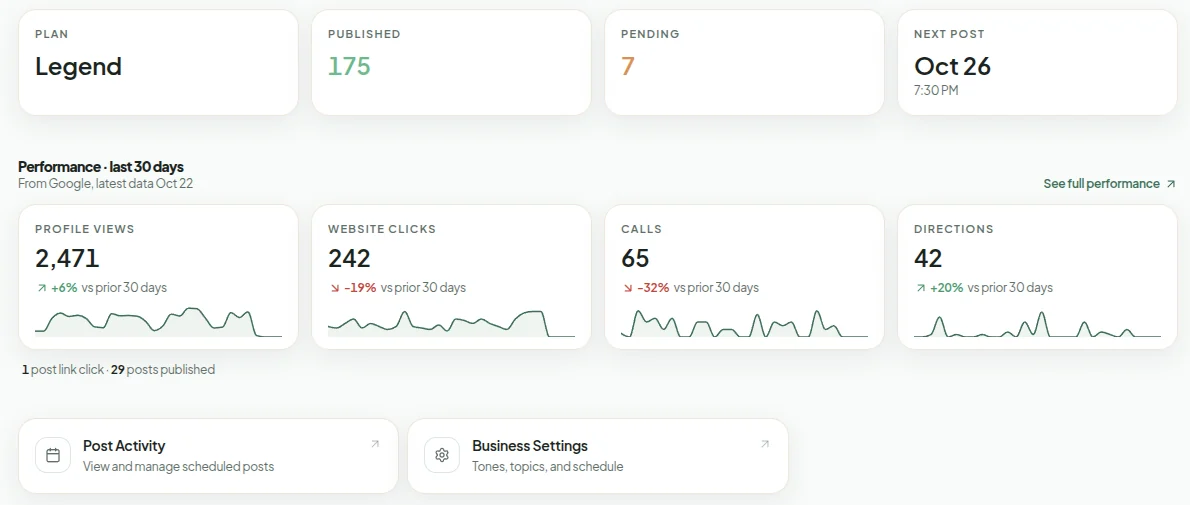
SlashPost turns Google performance data into clear trends, comparisons, and location-level results you can inspect week to week or month to month.
Who it is for
For owners and multi-location teams who want to connect profile activity with calls, directions, website visits, and other customer actions.
The problem it fixes
Publishing without a clear result view turns local marketing into guesswork. Raw totals also hide whether performance is improving, which location changed, and which posts earned attention.
What you get
Track calls, directions, website clicks, messages, bookings, and the combined actions customers take.
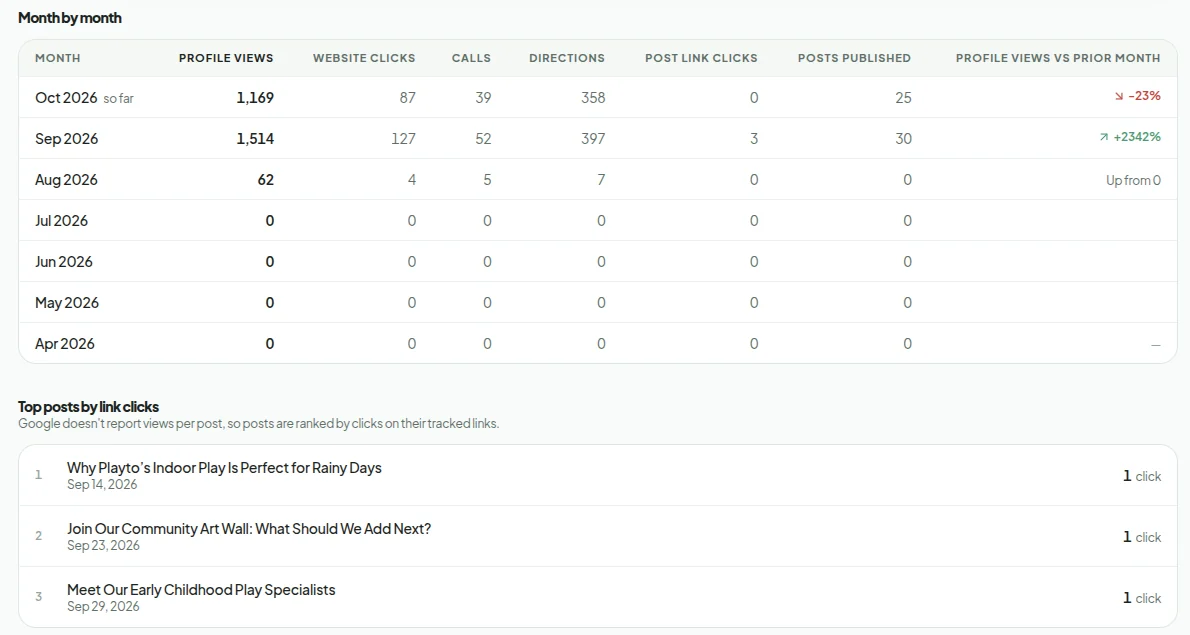
View daily, weekly, or monthly history alongside the equivalent previous period.
Compare locations and see which published posts received tracked link clicks.
How it works
01
SlashPost securely collects the available performance metrics for each connected location.
02
Review a useful date window with daily, weekly, or monthly grouping based on its length.
03
Compare against the prior period, switch metrics, and open the posts behind tracked clicks.
Proof you can inspect
Questions
SlashPost reports available profile views, website clicks, calls, direction requests, messages, bookings, published posts, and tracked post-link clicks.
Yes. KPI cards compare the selected range with the same-length period immediately before it when enough historical data is available.
Yes. Use account totals for the whole portfolio and the location breakdown to compare individual businesses.
Yes. Tracked post links feed a top-post view, and you can open the corresponding post from the performance report.
Google's reporting data is not real-time. SlashPost shows the latest date Google has supplied so you can distinguish a reporting delay from a zero-result day.