Who it is for
For owners and location teams with unanswered reviews piling up, inconsistent replies, or no reliable way to manage responses across locations.
Google review management
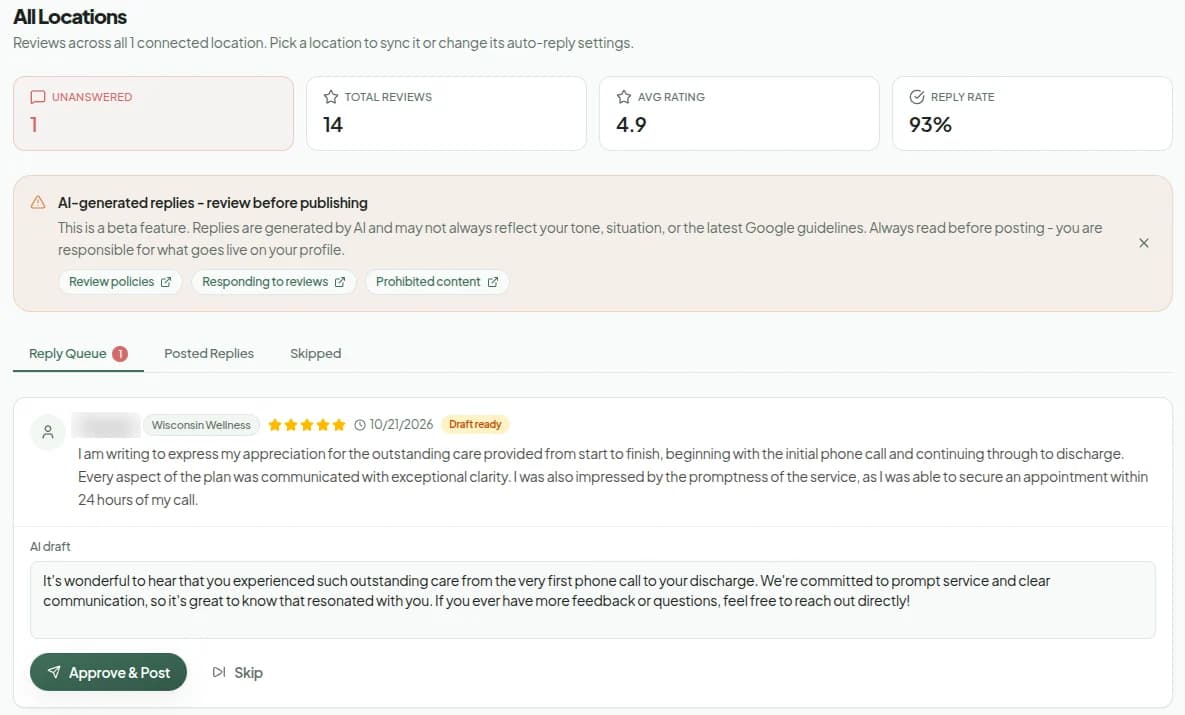
SlashPost turns new reviews into relevant reply drafts, keeps them in a clear queue, and posts approved responses back to Google.
Who it is for
For owners and location teams with unanswered reviews piling up, inconsistent replies, or no reliable way to manage responses across locations.
The problem it fixes
Reviews arrive while the team is serving customers. Without a queue and a repeatable response workflow, good feedback goes unacknowledged and difficult reviews receive rushed, generic answers.
What you get
Each draft responds to what the customer actually wrote and uses the business context behind the location.
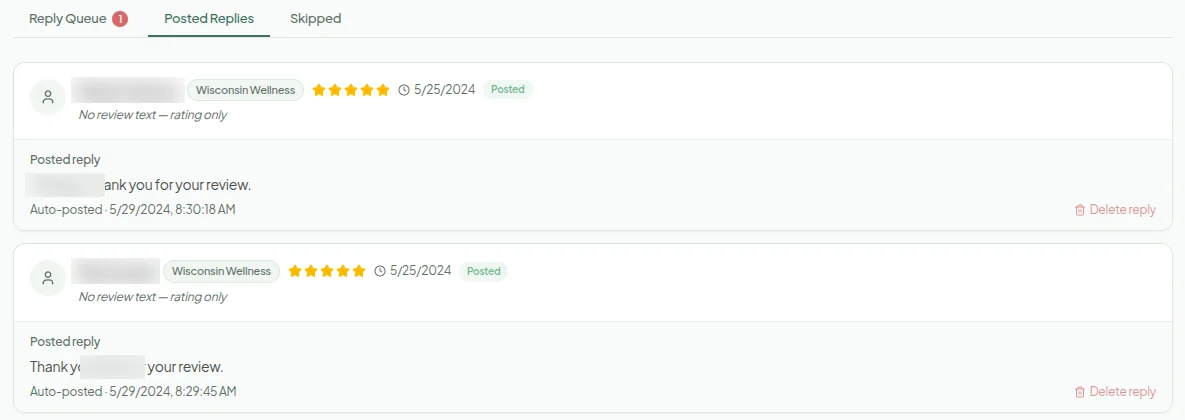
See drafts, posted replies, skipped reviews, and location-level status without switching between Google profiles.
Edit, approve, skip, retry, or remove replies, with per-location settings for the workflow.
How it works
01
SlashPost securely syncs reviews from the Google Business Profiles you manage.
02
Read the suggested reply, edit it when needed, or skip reviews that should not receive a response.
03
Approved replies are posted to Google and remain visible in the completed queue.
Proof you can inspect
Questions
Yes. SlashPost generates a draft from the review and your business context. You can approve or edit it before posting, or configure the location's reply workflow.
Yes. Edit and save the draft before approval. The version you approve is the version SlashPost sends to Google.
It stays in the same visible queue. You can rewrite the draft, skip the review, or handle it manually rather than forcing an automatic response.
Yes. The all-locations view brings review queues together, while each location keeps its own settings and status.
Yes. Posted replies can be deleted from Google through the review workflow when a change is necessary.